Personalized Website Experiences without Code
This project focused on empowering marketers to personalize website content and user experiences without relying on developers. After launching through an early access program, 23% of clients adopted the feature by March 2023, contributing to an 11% increase in contract renewals and early signs of revenue growth.
2023 Jan. to 2023 Oct.
I led the design of AIQUA, Appier’s AI-powered personalization cloud platform, which enables businesses to deliver tailored customer experiences across multiple touchpoints.
While the platform offered a powerful product recommendation algorithm, integrating it into websites or apps previously required developer support. To streamline adoption and empower marketers, the product team invested in developing a no-code onsite editor, allowing marketers to directly implement AI-driven recommendations without technical assistance.

AIQUA's AI-powered platform helps businesses personalize customer experiences across all channels, from smart recommendations to data-driven campaigns.
(Lead designer from Jun 2018 to Mar 2025)
👍👍 Appier's AI recommendation engine empowers marketers to personalize campaigns and optimize customer lifecycles, leading to increased sales.
👎 While Appier provides powerful AI tools, reliance on developers for integration can hinder marketer agility.
👎 For marketers, fast campaign cycles combined with frequent edits across development, design, and management teams can lead to communication breakdowns.
User pain point 1
Slow Training & Handoffs Stall Recommendations
The current recommendation system workflow involves a delay of 1-3 days for model training after marketers create scenarios. Additionally, developers require the scenario ID for implementation, adding another handoff step.

User pain point 2
Fragmented Workflows Slow Marketing Down
In today's fast-paced marketing landscape, where time-to-market is critical, current workflows involving separate teams for development, design, and marketing can be a major roadblock, leading to missed opportunities and reduced campaign effectiveness.

User needs - part 1
Beyond Fixing Pain Points: Enabling Flexible Website Editing for Fast-Paced Marketing
Recommendation insertion
Implement dynamic product recommendations based on user behavior and purchase history.

Marketing campaign insertion
Integrate targeted marketing campaigns through dedicated web blocks for maximum impact.


Creative experiment
Conduct controlled website experiments to validate marketing hypotheses.

User needs - part 1
Marketers conduct experiments with various purposes
Content experiment
Testing which content generates more revenue.

Content experiment
Testing which segment yields higher revenue.

Personalized campaigns
Sending personalized content to different segments.

User persona / research finding
A growth marketer focuses revenue growth experiments and precision marketing through online personalization
Marketer profile
Utilize data-driven decision-making.
Conduct experiments to boost revenue growth.
Implement martech strategies globally while also localizing marketing approaches to match specific local markets.
Requirements for onsite editor
Ability to conduct web personalization experiments.
Integration of web elements on specific pages.
Capability to experiment on a smaller scale and duplicate successful strategies across different countries.

User flow
Onsite experience editor flow
The user flow mirrors marketers’ natural workflow. It begins with creating a campaign, followed by editing website content in the visual editor and setting up experiment variations. Marketers then define page rules, select the target audience, and finally configure and launch the experiment with scheduling and goals.

Design output
Scenario 1: Marketers insert campaigns in all relevant website pages
Marketers can effortlessly add campaign banners with a few clicks. Simply choose where to insert the block (above or below existing content). No need for constant designer or developer involvement during campaign cycles, freeing them up for other tasks.

Scenario 2: Marketers aim to validate their hypotheses through experimentation
Onsite experience testing empowers marketers to validate their assumptions quickly and optimize campaigns for maximum impact.

Scenario 3: Marketers deliver personalized contents to different customer segments
Onsite experience empowers marketers to personalize creatives for diverse audiences. This allows them to deliver targeted messages that resonate with specific interests, maximizing campaign engagement.

Scenario 4: Marketers create highly relevant and personalized product suggestions to users through recommendation engine
Marketers can leverage AI to personalize product recommendations based on browsing history and viewing behavior, driving customers towards high-interest items with Onsite experience

Scenario 5: Marketers utilize A/B testing to identify the most performant AI model for achieving marketing objectives
Uncertain about the optimal AI model for your campaign? Onsite experience testing allows marketers to compare different models and identify the one that drives the highest conversion rates.

Scenario 6: Marketers integrate product recommendations within the existing website layout, ensuring a cohesive user experience
Maintaining brand consistency, marketers leverage Onsite Experience to design product recommendation layouts within their existing website template. These layouts can then be saved for future use, ensuring a seamless customer experience.

Design validation
Six round of user tests conducted to validate design assumptions
The user researcher and I planned tasks to validate assumptions about user needs from both product managers and ourselves. We tested with 3 Customer Success Managers (CSMs) and 3 users from our client base.

Finding & solution 1
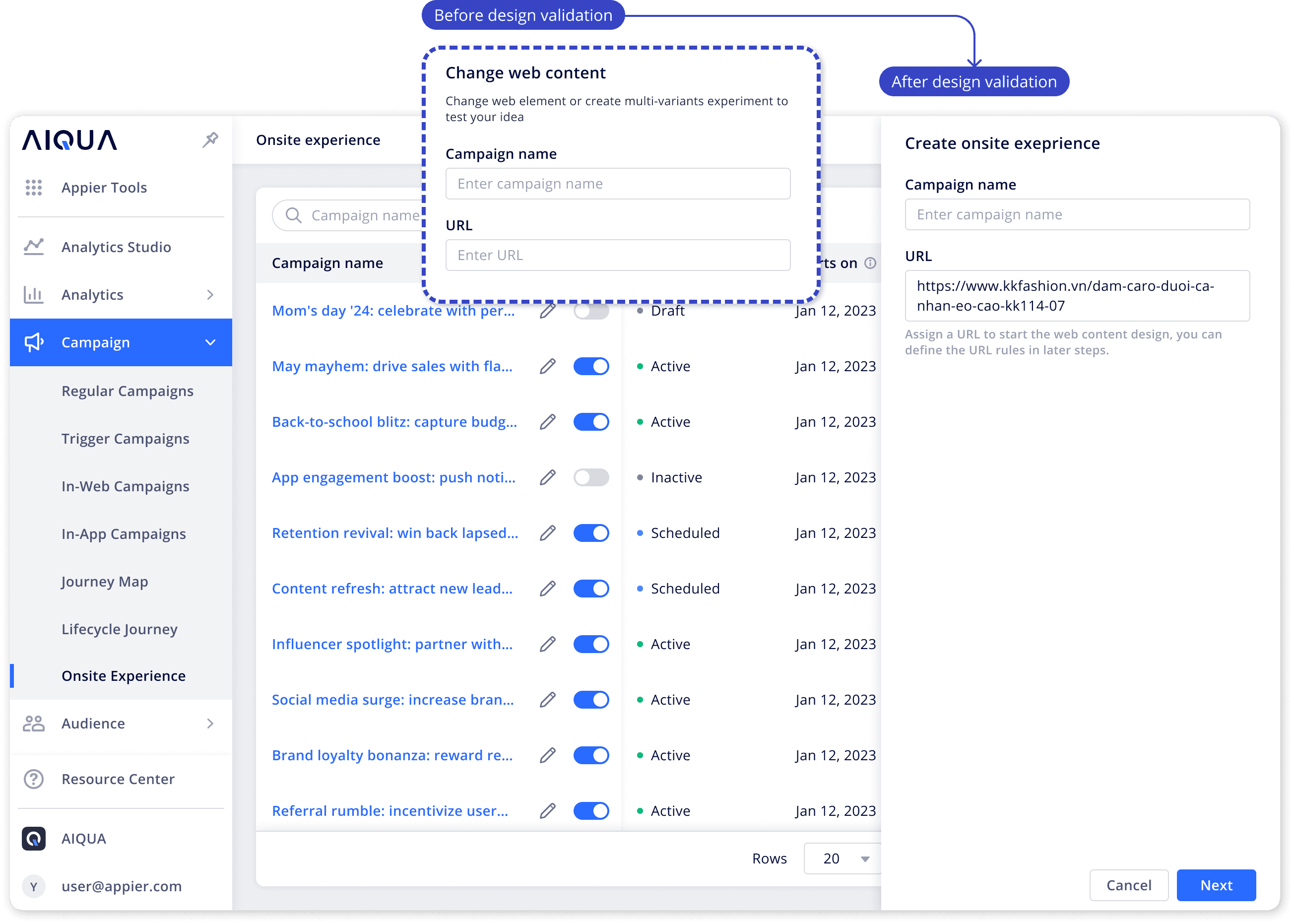
Unclear URL Purpose
Integrate targeted marketing campaigns through dedicated web blocks for maximum impact.
Missing Rule Guidance
Proactive users were unsure where to set up rules for managing page URLs.
Finding & solution 2
Side Panel Obstructs Content View
While the side panel initially leveraged Responsive Web Design (RWD) principles to push the web content layout, user feedback and technical considerations led us to refine the approach.
Instead of shifting the page layout, the side panel overlays the webpage, allowing users to collapse or expand the toolbox as needed to preview the page more clearly while editing.


Finding & solution 3
Misplaced View Toggle
Users had difficulty locating the toggle for switching between desktop and mobile views.
By moving the toggle from the corner to the center of the toolbar, the control became more visible and easier to discover.

Finding & solution 4
Lack of preview mode
Users elaborated the need of a preview mode to share and discuss web changes with colleagues before publishing.

Design iterations
Effortless Product Recommendation Integration
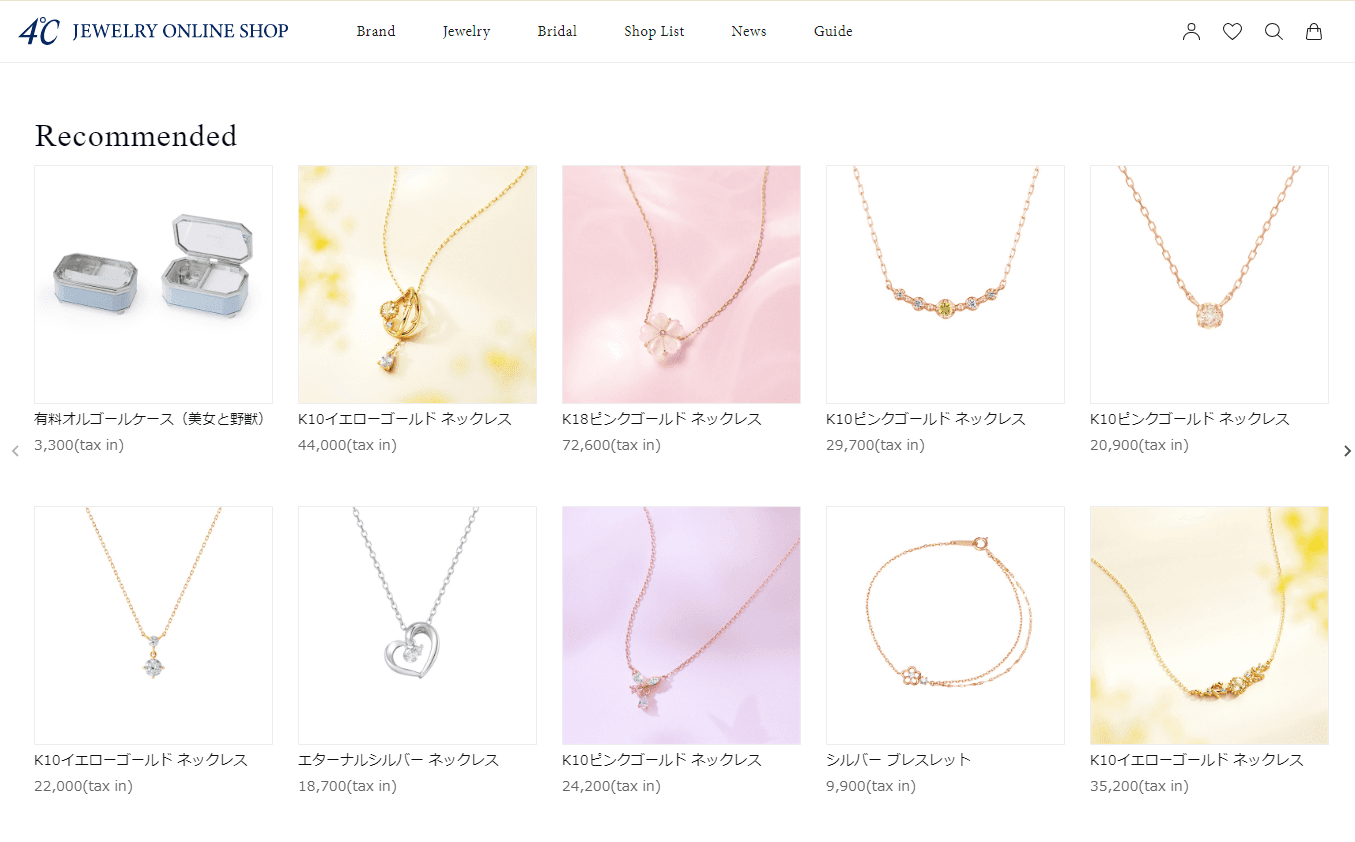
Marketers can integrate a product recommendation block into their website seamlessly. The intuitive interface allows for easy customization of AI scenarios, titles, product visuals, pricing, and layout.

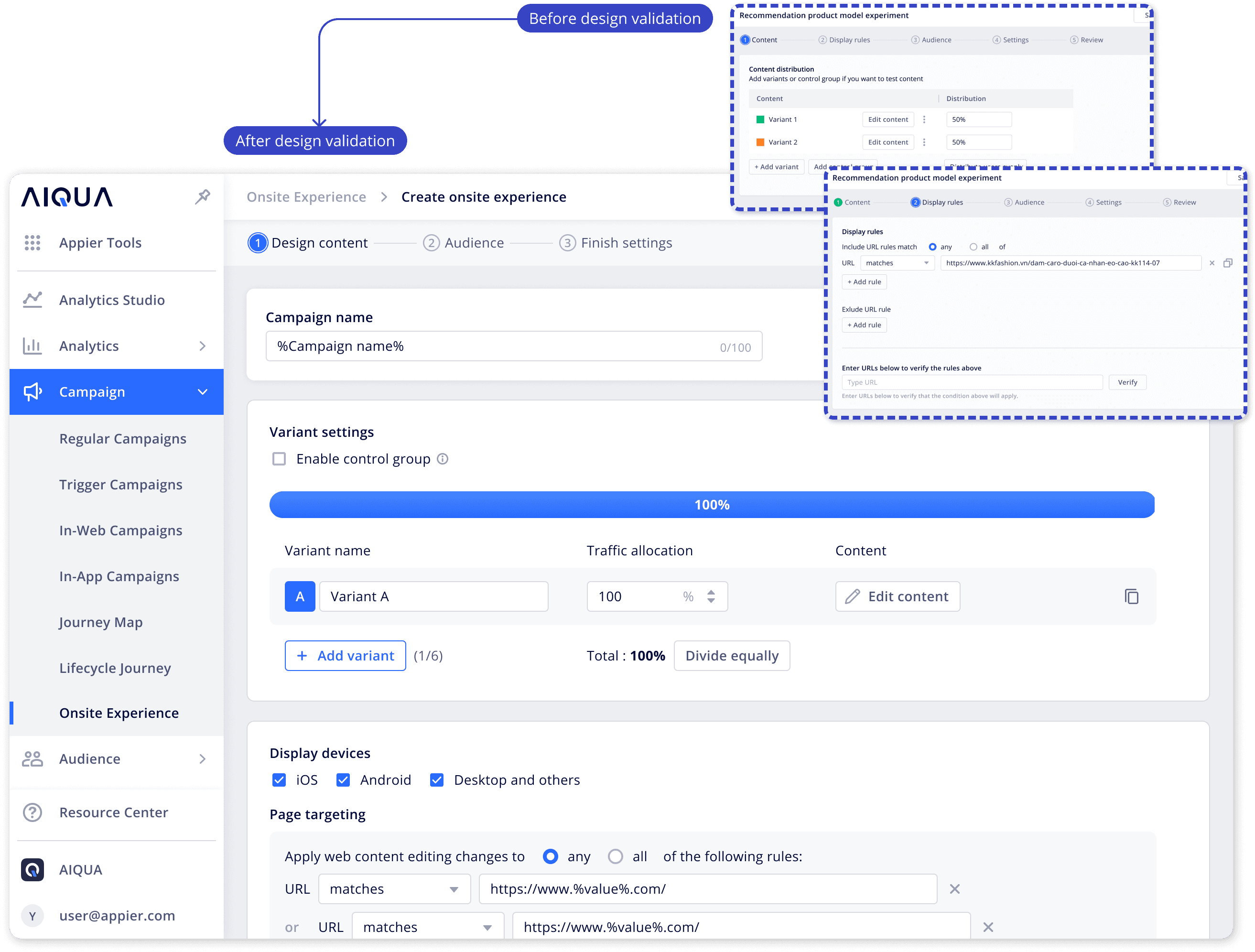
Optimizing Campaign Creation with Fewer Steps
We simplified the campaign creation process by condensing 5 steps into 3, making it easier and faster for marketers to get started. URL validation step, which was an optional feature that caused confusion for many users.
Optimizing user experience for segment targeting
We iterated on the campaign targeting experience to simplify the setup process while aligning with how marketers actually run campaigns.
Initial Design
Users were required to manually add segments when creating targeted campaigns.
Why Optimize?
Customer data showed that 85% of campaigns target all users, making manual segment configuration unnecessary for most cases.
Iteration 1
We introduced radio buttons with “All Users” preselected to streamline the flow and highlight the cost advantage of broader targeting.
Why Iterate Again?
However, 32% of users overlooked the radio buttons and unintentionally clicked “Add Segment” in the exclusion section, creating confusion.
Final Design
We kept “All Users” selected by default to optimize the common use case. Marketers can still customize targeting through the familiar “Add Segment” flow, balancing efficiency with flexibility.

Defining campaign status and action behaviors
This UX behavior specification details how the campaign editing toggle interacts with the various editing stages accessible from the campaign listing page.

Post-campaign review on campaign details and performance
Marketers gain complete control over their campaigns after launch. From the campaign details page, they can:
Review & Edit Settings: Ensure all configurations are aligned with campaign goals and make adjustments as needed.
Track Performance: Monitor key metrics in real-time, gaining valuable insights into campaign effectiveness.
Analyze A/B Testing Results (Optional): For campaigns with experiments, delve into detailed comparisons to optimize future iterations.

Final design
Onsite experience editor flow
The user flow mirrors marketers’ natural workflow. It begins with creating a campaign, followed by editing website content in the visual editor and setting up experiment variations. Marketers then define page rules, select the target audience, and finally configure and launch the experiment with scheduling and goals.
Impact and results
Feature adoptions and feedbacks
We launched the feature through an early access program, allowing customers to test it and provide feedback. By Mar 2023, 23% of clients have adopted the feature, and it has contributed to an 11% increase in contract renewals. Early results also indicate positive revenue growth, suggesting strong customer value and product impact.



Reflection
Designing Beyond Features
Validate early, iterate often
Even with competitor references, real user testing revealed different expectations in the editing workflow. Running multiple rounds of testing helped us refine the interaction flow and validate improvements with customers.
Design with technical realities in mind
Building a web editor across different websites required understanding underlying CSS structures and technical constraints. Close collaboration with engineers early in the process was critical to ensure the design worked reliably in real environments.
Balance flexibility with simplicity
Marketers wanted control over website content but could easily be overwhelmed by too many configuration options. Structuring tools with guided panels and progressive controls helped maintain flexibility while keeping the experience approachable.
Design for real marketing speed
Marketers often work under tight timelines and need to iterate quickly. Prioritizing fast editing and rapid experimentation ensured the feature supported real campaign workflows rather than idealized ones.

Diane Lee
Updated Mar, 2026