
Starting in 2023, generative AI became a key focus for enterprise services, and our product team decided to integrate AI capabilities into existing tools such as the Journey Map, Onsite Editor, and Campaign Experiment. Each feature was owned by a different product manager, which created the challenge of aligning design requirements while consolidating interaction patterns across the platform.
In this project, I’ll showcase how I approached these design challenges, ensuring cohesive and intuitive user experiences across AI-powered features.

AIQUA is Appier's personalization cloud, helping marketing teams across APAC turn customer data into targeted, multi-channel campaigns powered by AI.
(Lead designer from Jun 2018 to Mar 2025)
Beyond designing individual features, I recognized a broader opportunity:
Instead of treating AI as separate features, we could establish a unified conversational layer across the platform.
I took the initiative to consolidate these workflows under a shared Conversational Copilot framework, aligning interaction patterns, UI structure, and behavioral logic.
User pain point 1
Built-in Tech Support → Knowledge Copilot
Users depended on external documentation and Slack for support, creating frequent context switching and disrupting their workflow.

User pain point 2
Onsite Editor with Prompt → Creative Copilot
Because layout creation and styling required code, marketers struggled to quickly build and modify web experiences without engineering support.

User pain point 3
Campaign Experiment Setup → Experimentation Copilot
Experimentation is essential for optimizing campaigns, but the manual setup process introduces friction and slows marketers’ ability to iterate quickly.

User research
Understanding marketers across different organizational contexts
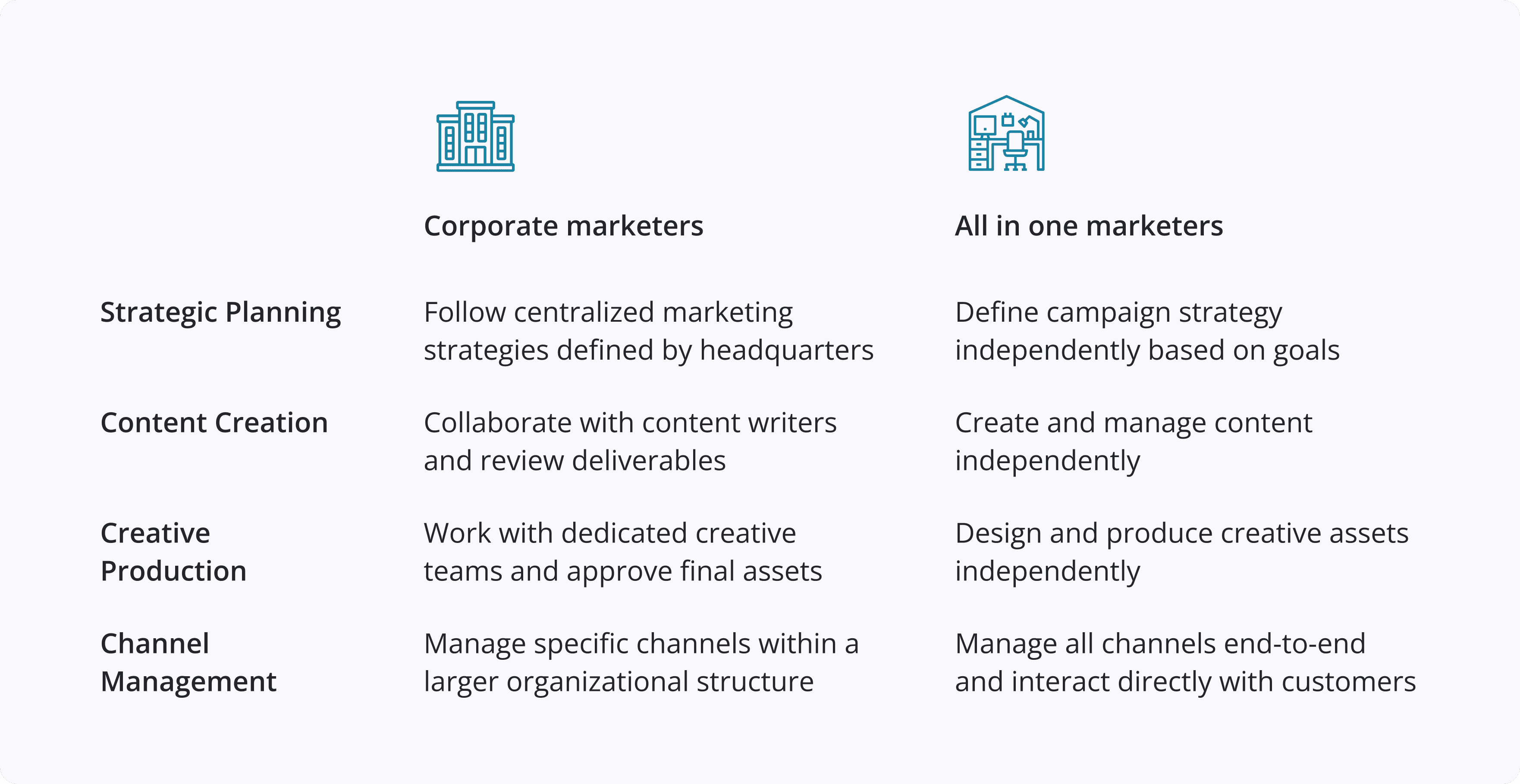
How AI assistant supports different marketers?

Design challenges
Creating Consistency Across Independent AI Features

AI features were being shipped independently by different product teams, leading to fragmented interaction patterns, duplicated logic, and user confusion.

Each AI initiative was built as a standalone solution with no reusable interaction logic, risking long-term maintenance complexity.

Users hesitate to adopt AI tools when outputs feel inconsistent, disconnected from context, or unpredictable.
Applying AI to UI
Explored 4 ways of interactions to enhance user interfaces

Conversational UI
Main service, UI designed for natural dialogue.

Side Panel Assistant
Quick access and interaction through dedicated UI elements.

Inline Editing
Contextual suggestions appear during editing.

Side Panel Assistant
Passive automated tasks without input/output fields.
AI-powered design exploration
Exploring design solutions for marketing challenges
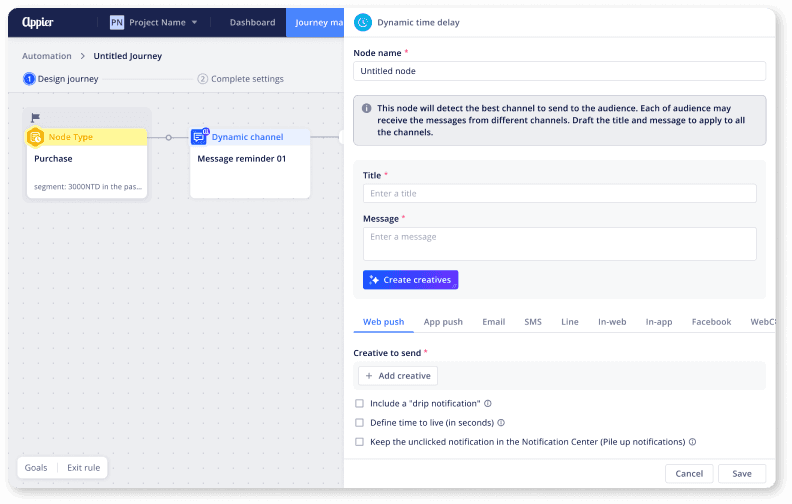
Journey Map

Campaign Content

Creative Exploration

Experiment Insights

Campaign Timing

Web Content Creation
The Copilot Framework
Introduced a System-Level AI Interaction Strategy
One Interaction Model
A unified conversational pattern applied consistently across support, campaign creation, and experimentation.
Structured, Guided Messages
AI outputs are delivered in step-based, card-driven layouts and directly actionable with one-click application to the dashboard.
Context Awareness
The copilot understands the user’s current workflow, data state, and intent. It generates responses that are relevant, grounded, and immediately usable within the active task.
Design output - 1
Built-in Tech Support
Marketers can ask product or data questions directly within the dashboard without leaving their workflow. The copilot delivers contextual responses.

Marketers can leverage the AI copilot to get quick summaries of product-related questions.
Design output - 2
Onsite editor with prompt
This method aligned with the overall Copilot experience, offering a preview for marketers to review before insertion. However, the preview size proved inadequate for proper evaluation.

Design proposal 1: AI offers a preview for marketers to review in the chat before insertion.
Proposal A
Preview block insertion
This method aligned with the overall Copilot experience, offering a preview for marketers to review before insertion. However, the preview size proved inadequate for proper evaluation.

Proposal B
Proactive insertion with confirmation
This approach aimed to streamline the workflow by automatically inserting the block and requesting confirmation. While proactive insertion may be beneficial, the confirmation button disrupted the user flow.


Proposal C
Proactive insertion with undo
Similar to approach #2, this method automatically inserted the block and offered an undo option. While it communicated confidence in AI output, the user flow remained disrupted by the confirmation button.


Uploading an image for AI to create a web block
Marketers can preserve their brand's visual identity effortlessly. Simply copy an existing layout, and AI Copilot will translate it into a web block, eliminating the need for coding.
Design details
Input details
I defined how the input adapts from default and focus states to single-line entry, multi-line expansion, image upload, and combined content scenarios. The work ensures the component scales gracefully with increasing complexity

Upload image details
I defined the behavior of the image upload component across key interaction states, including loading, uploaded preview, hover, focus, enabled, and disabled. The design clarifies system feedback during upload with progress indicators, introduces delayed tooltips for better usability, and provides intuitive controls such as remove actions and filename visibility. This ensures clear feedback, predictable interactions, and visual consistency as users manage media within the copilot experience.

Image preview details
The design defines size constraints, adaptive scaling, and contextual preview behaviors to ensure images display appropriately across chat and page layouts. This approach maintains visual consistency, prevents layout breakage, and ensures media integrates seamlessly into both conversational and in-product creation experiences.

Design output - 3
Built-in Tech Support
I designed the Copilot interaction to read context directly from the dashboard, allowing users to generate experiment content with a single click. Copilot produces two variations for review, enabling marketers to quickly compare options and apply the preferred version with another click.

Reflection
Designing Beyond Features
This project reinforced the importance of thinking systemically, not just at the feature level. While each AI initiative solved an immediate problem, the real challenge was ensuring they worked together as a coherent experience. By stepping back from individual requirements and focusing on interaction patterns, scalability, and long-term consistency, I was able to shape a unified Copilot framework rather than a collection of isolated tools.
It reminded me that strong product design is not only about shipping features — it’s about protecting system integrity and creating foundations that future teams can build on.

Diane Lee
Updated Mar, 2026